Hi,
Here I explain how to save form data using Ajax jquery so using this way page will not post back and data will be save.
So now let’s look how I have done
Here is my Simple View
1: @model MvcApplication1.Model.UserInformation 2: 3: @{4: ViewBag.Title = "Index";
5: Layout = "~/Views/Shared/_Layout.cshtml";
6: } 7: 8: <h2>Index</h2> 9: 10: <script src="@Url.Content("~/Scripts/jquery.validate.min.js")" type="text/javascript"></script>
11: <script src="@Url.Content("~/Scripts/jquery.validate.unobtrusive.min.js")" type="text/javascript"></script>
12: <script type="text/javascript">
13: $(document).ready(function () { 14: 15: 16: 17: $("#dplist").change(function () {
18: if (this.value == 2) {
19: 20: $("#txtbox").attr('style', 'Display:inline');
21: }22: else {
23: $("#txtbox").attr('style', 'Display:none');
24: } 25: }); 26: 27: }); 28: 29: function AjaxSave() { 30: 31: var rowData = $("#" + document.forms[0].id).serialize();
32: var url = '/Home/AjaxSave';
33: 34: $.post(url, rowData, function (JsonData) { 35: 36: debugger; 37: 38: }); 39: 40: } 41: </script> 42: 43: @using (Html.BeginForm(null, null, FormMethod.Post, new { id = "signupform" }))
44: {45: @Html.ValidationSummary(true)
46: <fieldset> 47: <legend>UserInformation</legend> 48: 49: <div class="editor-label">
50: @Html.LabelFor(model => model.Name) 51: </div>52: <div class="editor-field">
53: @Html.EditorFor(model => model.Name) 54: @Html.ValidationMessageFor(model => model.Name) 55: </div> 56: 57: <div class="editor-label">
58: @Html.LabelFor(model => model.City) 59: </div>60: <div class="editor-field">
61: @Html.EditorFor(model => model.City) 62: @Html.ValidationMessageFor(model => model.City) 63: </div> 64: <div class="editor-field">
65: @Html.DropDownList("dplist",(SelectList) ViewBag.DpList)
66: @Html.TextBox("txtbox")
67: </div> 68: 69: <p>70: <input type="submit" value="Save" />
71: <input type="button" onclick="javascript:AjaxSave();" value="AjaxSave" />
72: </p> 73: </fieldset> 74: } 75: 76: <div>77: @Html.ActionLink("Back to List", "Index")
78: </div>
Here is My Controller
1: using System;
2: using System.Collections.Generic;
3: using System.Linq;
4: using System.Web;
5: using System.Web.Mvc;
6: using MvcApplication1.Model;
7: 8: namespace MvcApplication1.Controllers
9: {10: public class HomeController : Controller
11: {12: //
13: // GET: /Home/
14: 15: public ActionResult Index()
16: { 17: initilization();18: return View();
19: } 20: 21: public void initilization()
22: {23: ViewBag.bhavik= "Bhavik Test";
24: List<SelectListItem> LiList=new List<SelectListItem>();
25: AddItemInlist("One", 1, LiList, false);
26: AddItemInlist("Two", 2, LiList, false);
27: AddItemInlist("Three", 3, LiList, true);
28: AddItemInlist("Founr", 4, LiList, false);
29: AddItemInlist("Fibe", 5, LiList, false);
30: ViewBag.DpList = new SelectList(LiList, "Value", "Text");
31: 32: } 33: 34: public void AddItemInlist(string Key,Int32 value, List<SelectListItem> addtolist,bool IsSelected)
35: {36: SelectListItem Li = new SelectListItem();
37: Li.Text = Key;38: if (IsSelected)
39: {40: Li.Selected = true;
41: }42: Li.Value =value.ToString();
43: addtolist.Add(Li); 44: 45: } 46: 47: [HttpPost]48: public ActionResult Index(UserInformation u)
49: { 50: initilization(); 51: 52: 53: return View();
54: } 55: 56: [HttpPost]57: public ActionResult AjaxSave(FormCollection form)
58: {59: //Write Message what you want to display after save operation
60: string Name = form["Name"];
61: string Cist = form["City"];
62: string msg="Successfully Save Data";
63: return Json(msg);
64: } 65: 66: } 67: }
Now Look how it’s Work
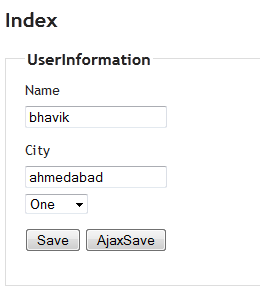
Details:
Quick Point that need to take care
- I have 2 button Save and AjaxSave.
- Save will Work as data will post and redirect page.
- Using Ajaxsave I have Ajaxcall using post method.
- I need to pass all filed value on controller for that I have collect all fields value using
- $("#" + document.forms[0].id).serialize(); pass this value in parameter $.post(url, rowData, function (JsonData) {
- Now Look at JsonData that will retrurn from Controller
string msg="Successfully Save Data";
return Json(msg); You can use it to display message for what transaction has been happen

